GRUP iOS app for finding people to play sports with in the Dominican Republic
GRUP is a startup idea for the Dominican Republic, an app to find partners, groups and activities for the sports you play. I designed it end to end for iOS, starting with competitor research.
competitor apps analyzed: Nike Run Club, Strava, Fitbit, PumpUp
journey stages mapped: join, search, decide
iOS screens designed across 7 flows
TL;DR
- Problem
- Fitness apps track what you do alone. People who want to play soccer, surf or hike with others still rely on WhatsApp groups and friends of friends.
- What I did
- Researched four fitness and community apps, mapped the user journey, and designed the app flow and core screens: onboarding, finding partners, groups and events, chat and profile.
- Status
- Startup concept designed end to end for iOS.
The idea
A lot of people want to exercise with others but have no one to go with. In the Dominican Republic those plans usually live in WhatsApp groups, which are hard to find if you're new and can't be searched. GRUP lets you find people near you with the same interests, join a group, or create an activity and invite others.
1. Competitor research
I looked at four apps people already use to stay active, and at what keeps users coming back to each one.
| App | What it does best |
|---|---|
| Nike Run Club | Guided runs, coaching plans and encouragement from friends |
| Strava | Tracking, connecting and competing, with social proof around every activity |
| Fitbit | One place for data, trends, goals and progress |
| PumpUp | A positive community and a feed that doubles as a fitness diary |
I grouped the findings into six themes: motivation, community support, tracking, social media, the feed, and data and progress. All four track your own activity well. None of them helps you find people to train with, so GRUP focuses on that.
2. User journey
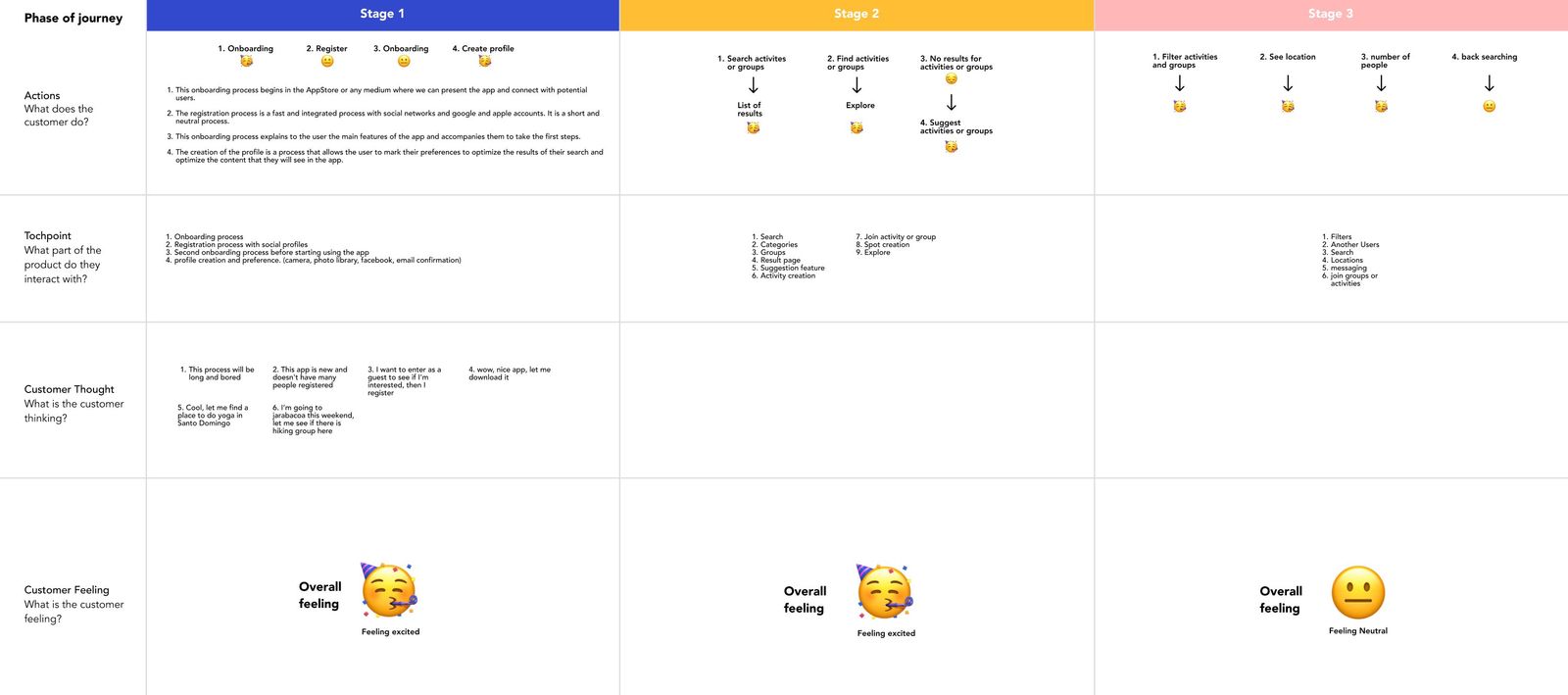
I mapped the experience in three stages, with what people do, what they touch in the product, what they think and how they feel at each step. Some of the thoughts in the map:
- "This process will be long and boring."
- "This app is new and doesn't have many people registered."
- "I want to enter as a guest to see if I'm interested, then I'll register."
- "I'm going to Jarabacoa this weekend, let me see if there is a hiking group there."
The map flagged a search with no results as the riskiest moment, since a new app starts with few users and few activities.
Skip sign-up on the first screen
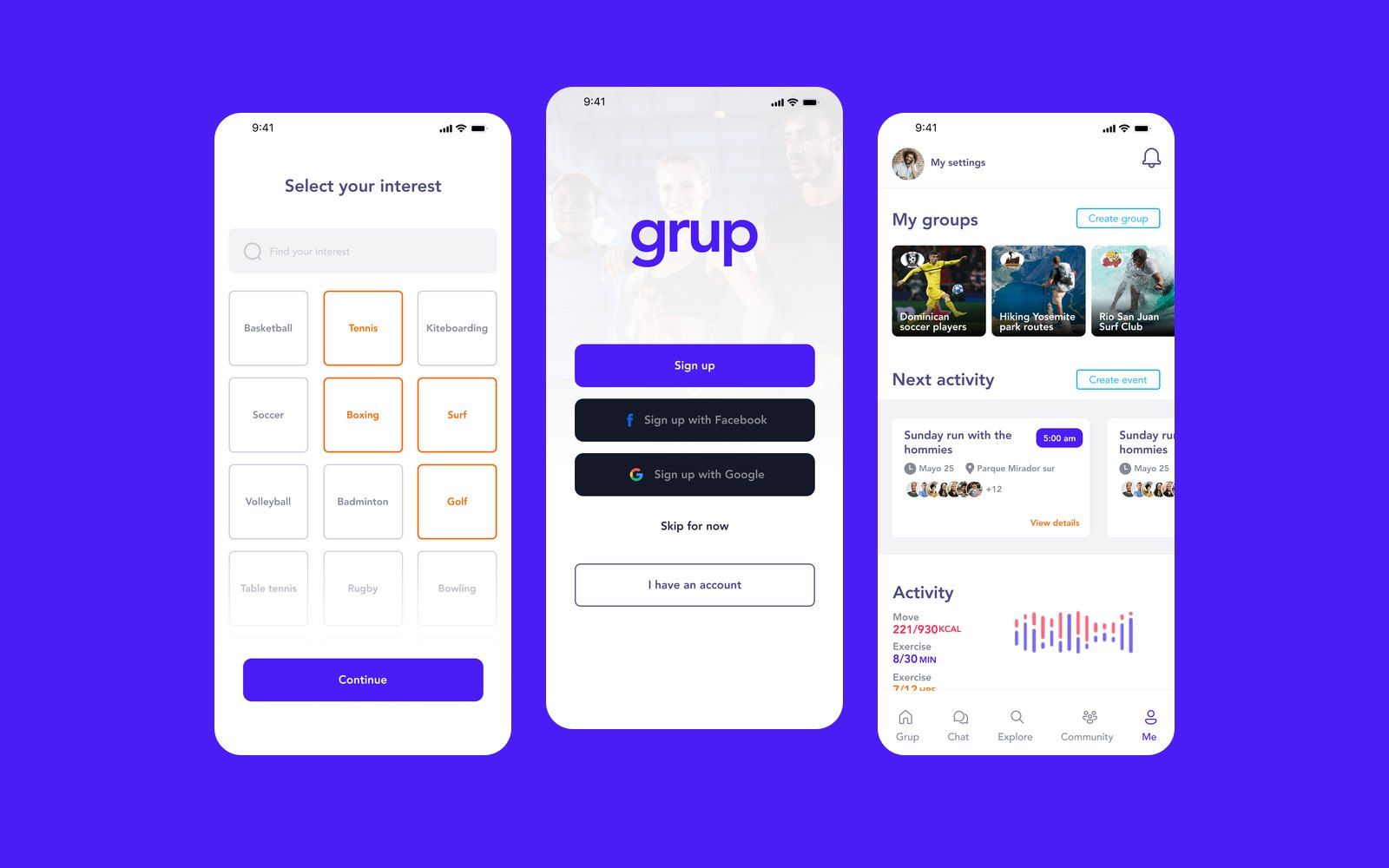
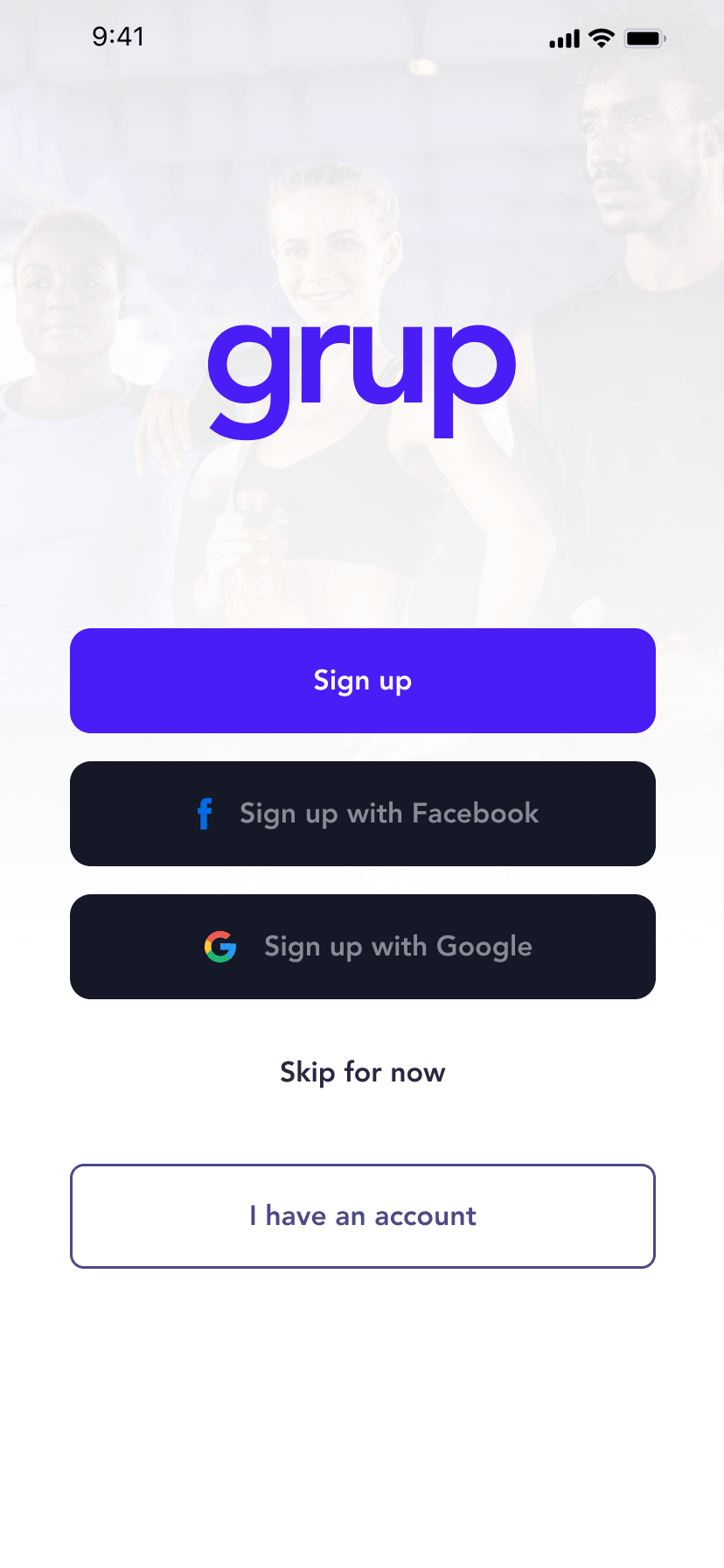
"Skip for now" sits on the first screen next to sign up with email, Facebook or Google. People who aren't sure about a new app can look around first and register later.
Empty search results
When a search finds no activity or group, the app shows suggestions and the option to create the activity yourself.
3. App flow
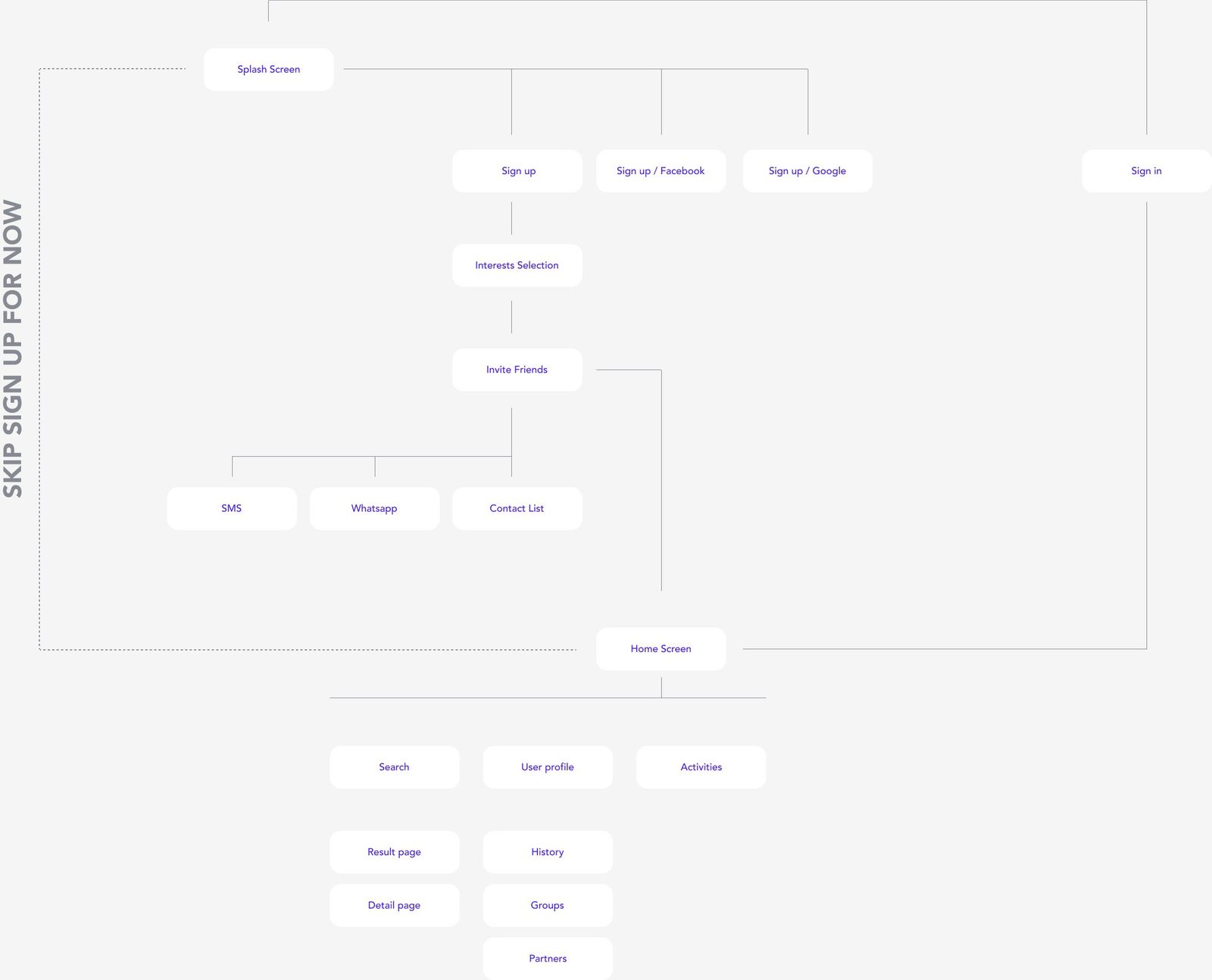
The flowchart goes from the splash screen to three ways in (sign up, social sign up or sign in), interest selection, inviting friends by SMS, WhatsApp or contacts, and the home with search, profile and activities.
4. Onboarding
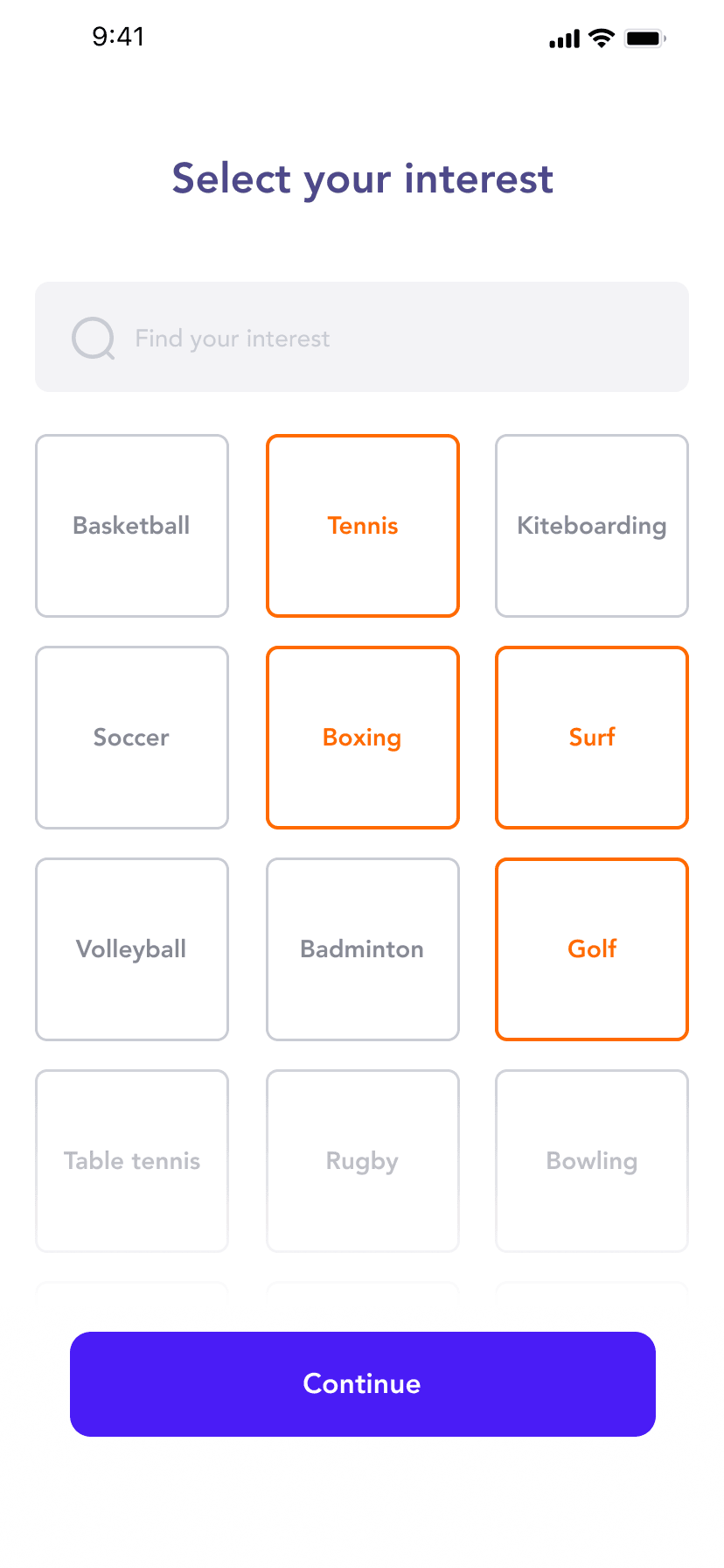
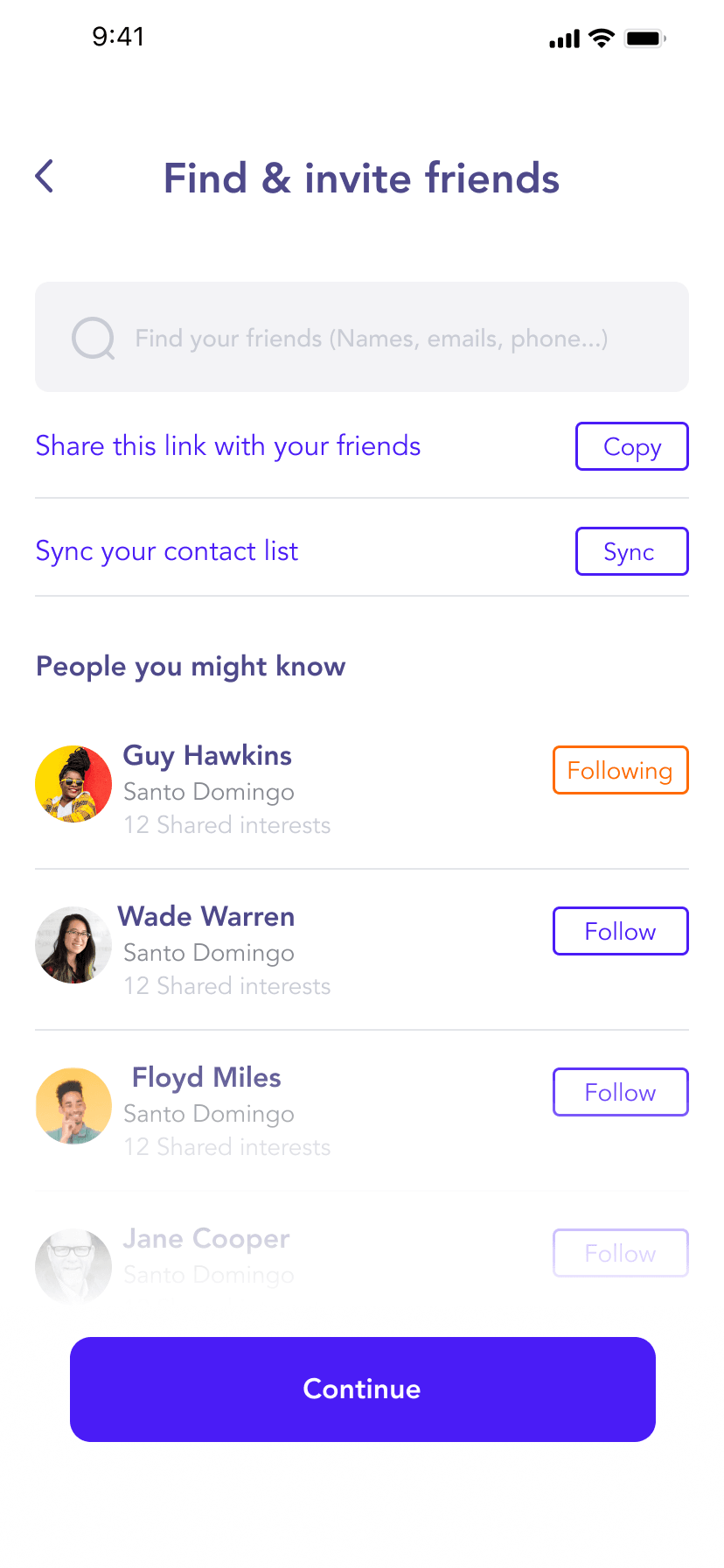
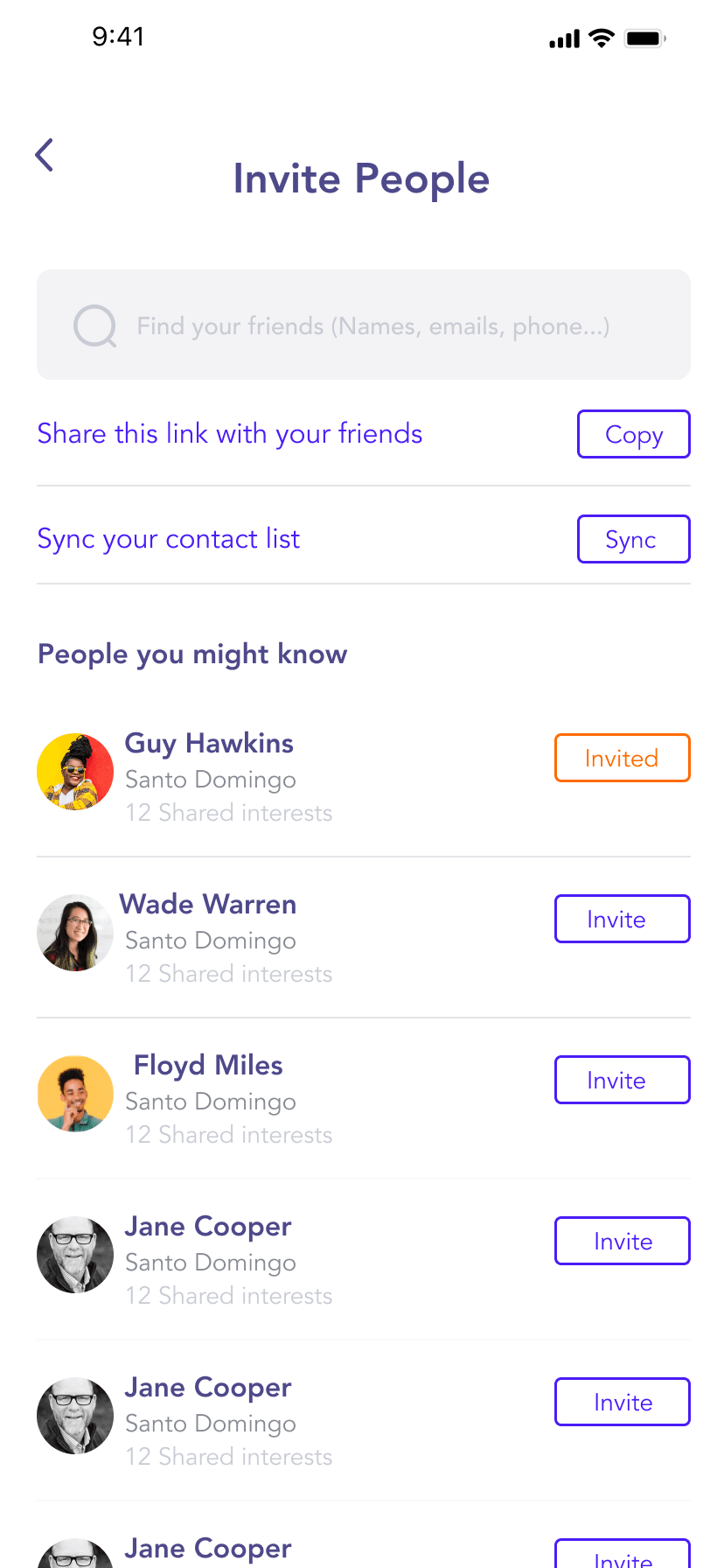
After signing up, people pick their sports from a grid (basketball, tennis, surf, golf, boxing and more) and then find or invite friends. Suggestions show people nearby and how many interests they share. Invitations can go out by WhatsApp, SMS or from the contact list.
5. Groups and events
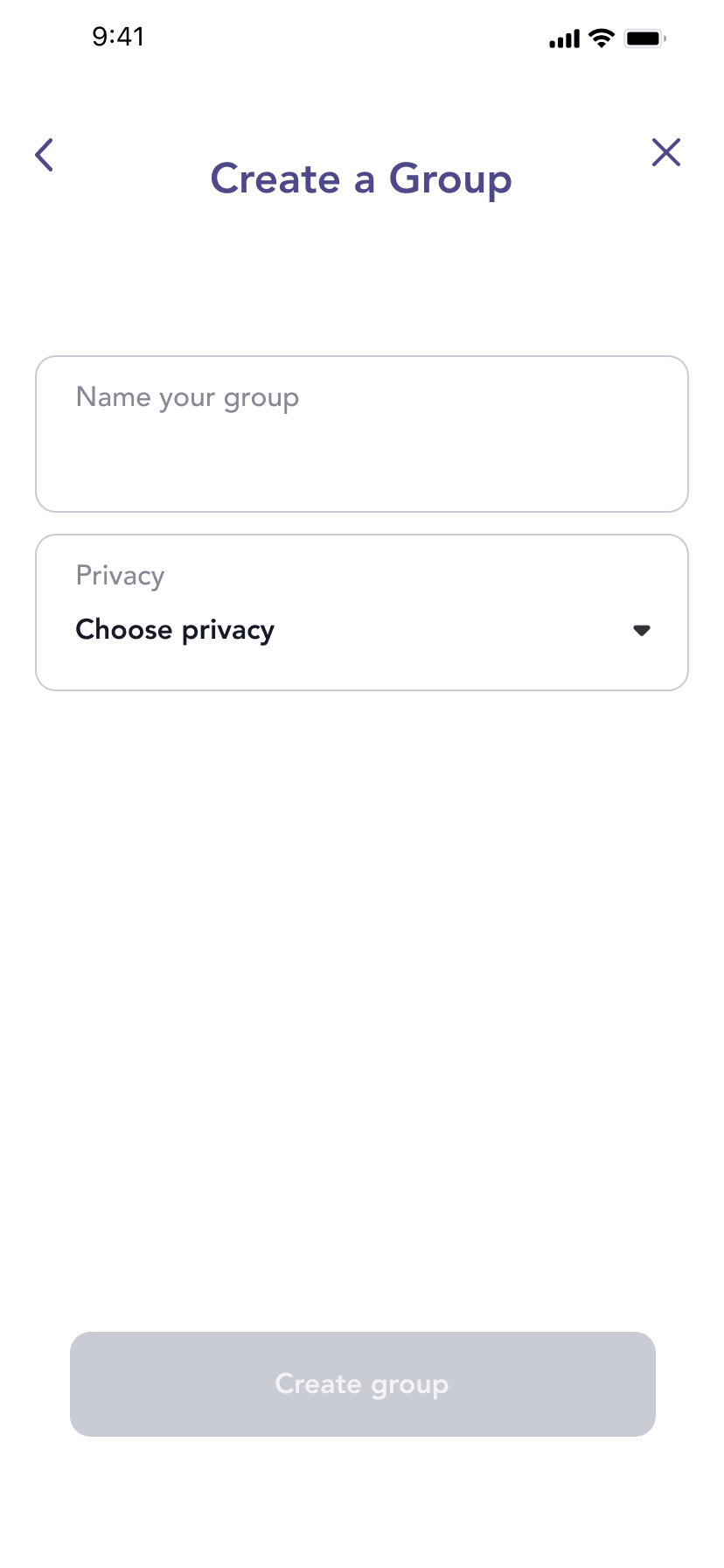
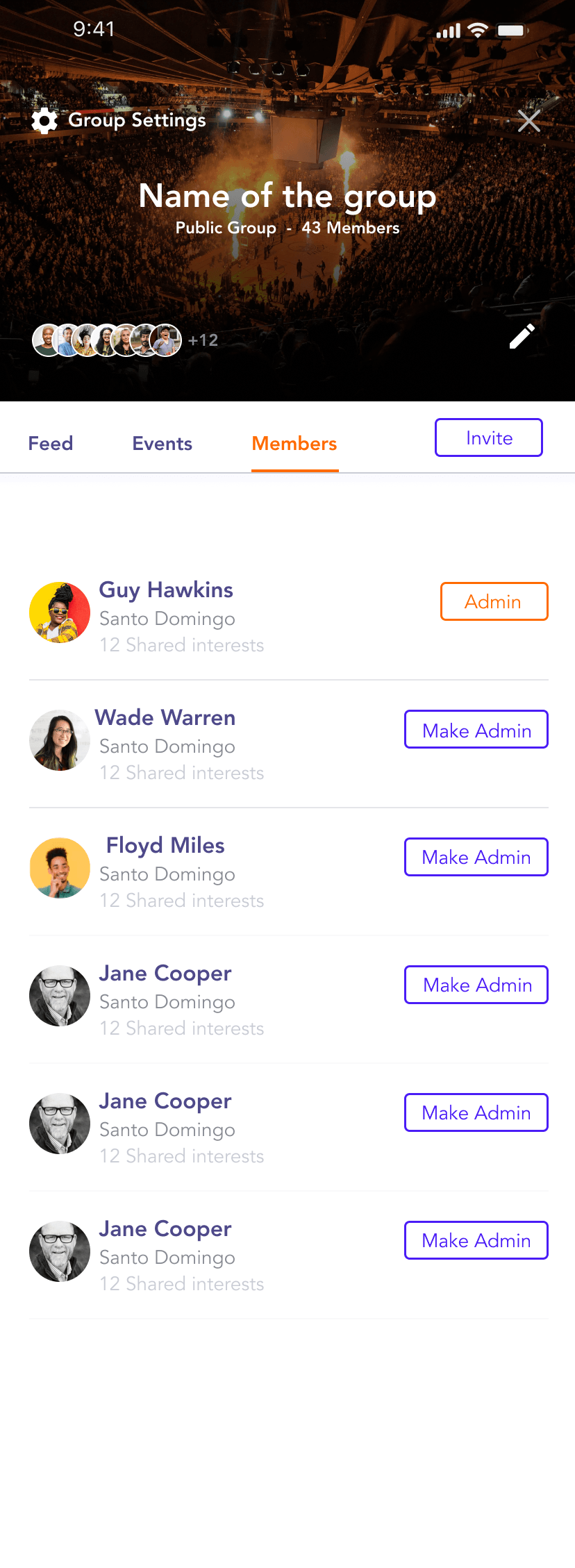
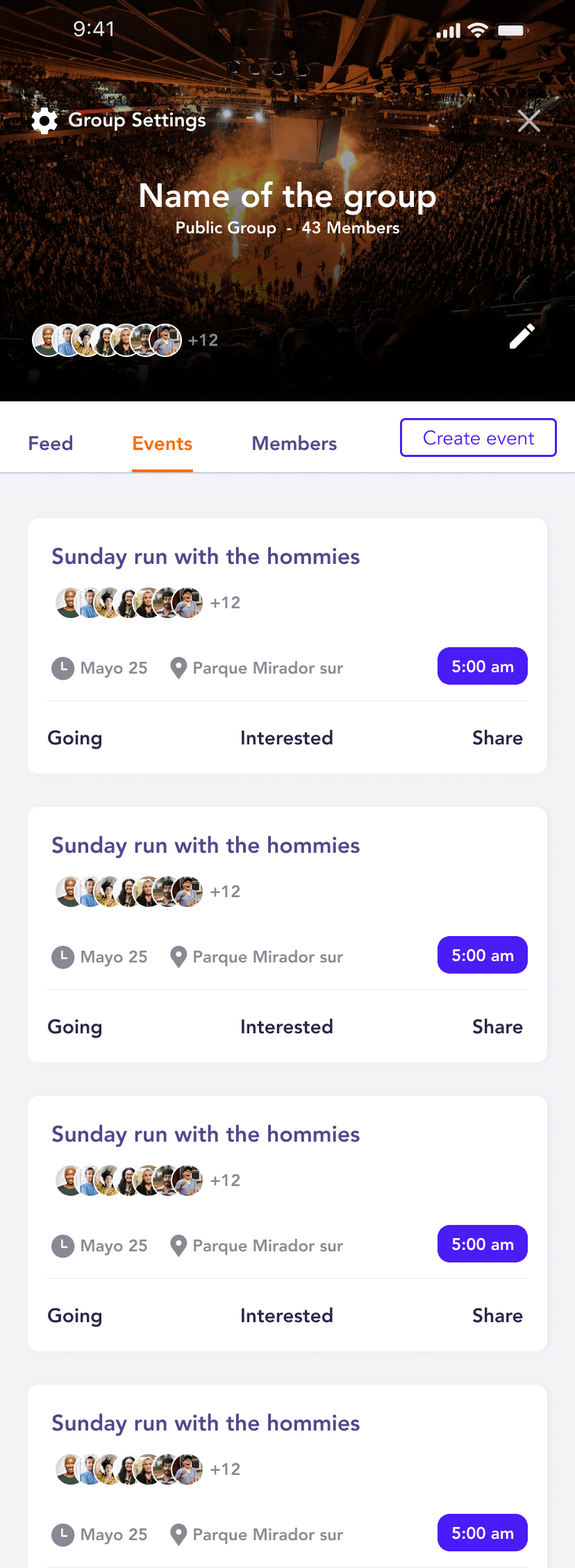
Creating a group takes a name and a privacy setting. Then the organizer invites people with the same tools used in onboarding. Each group has a feed, its events and its members, and admins can make other members admins.
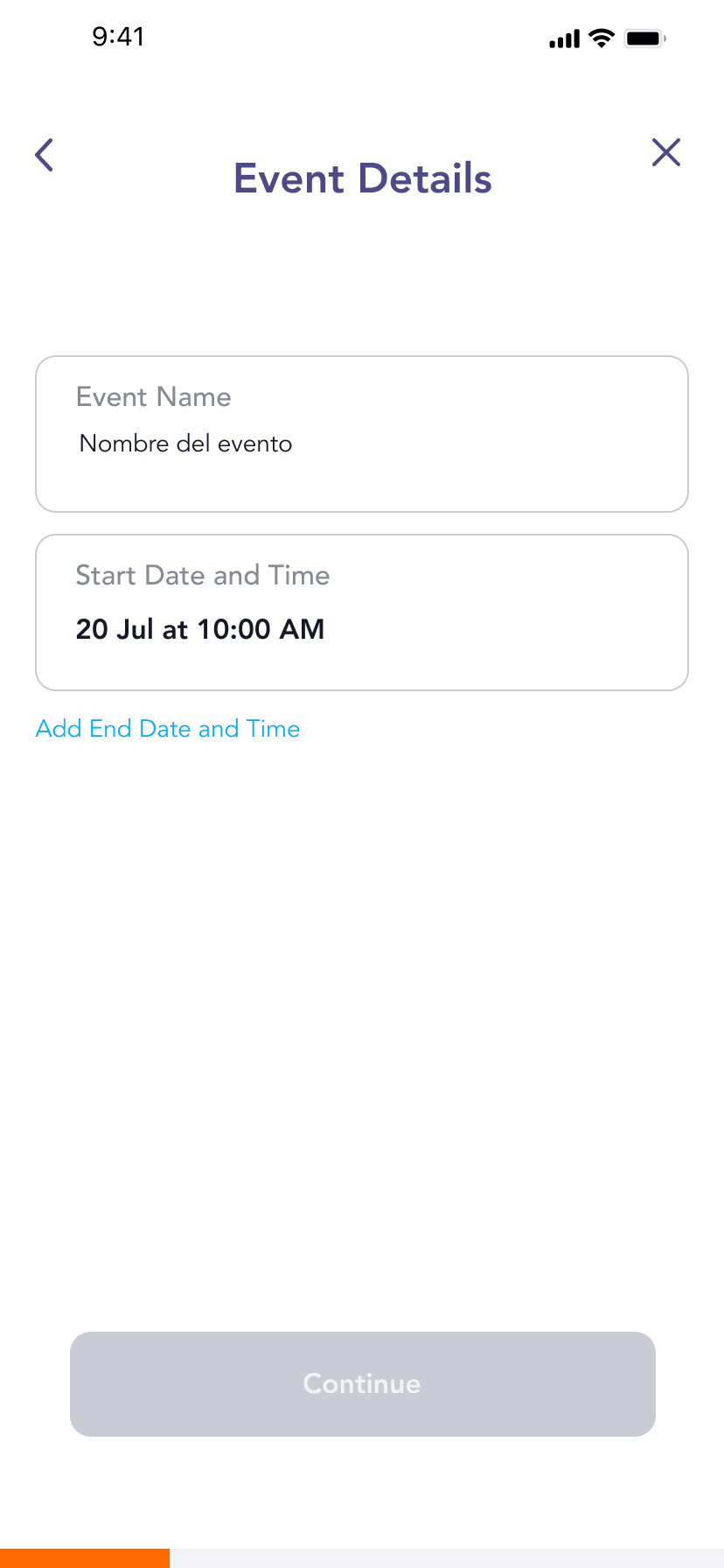
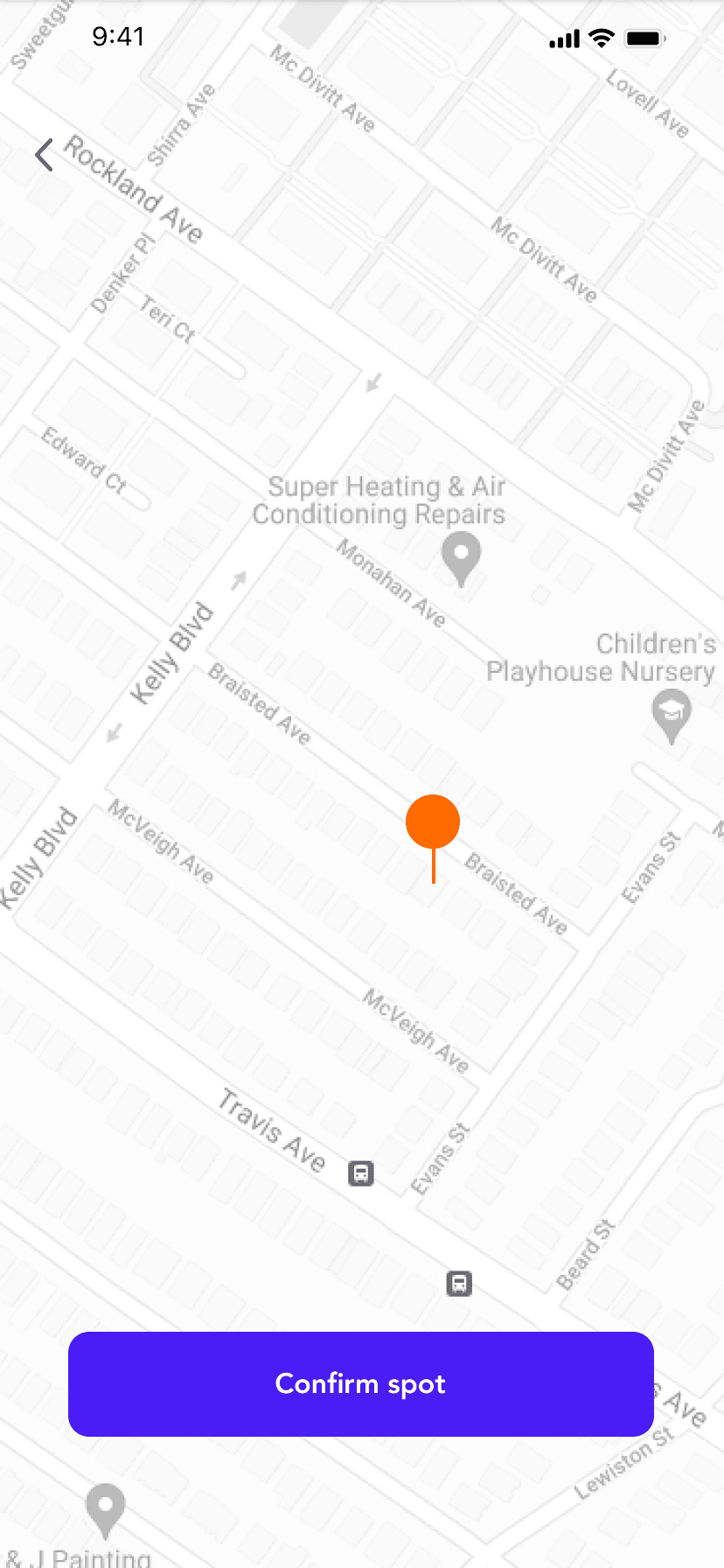
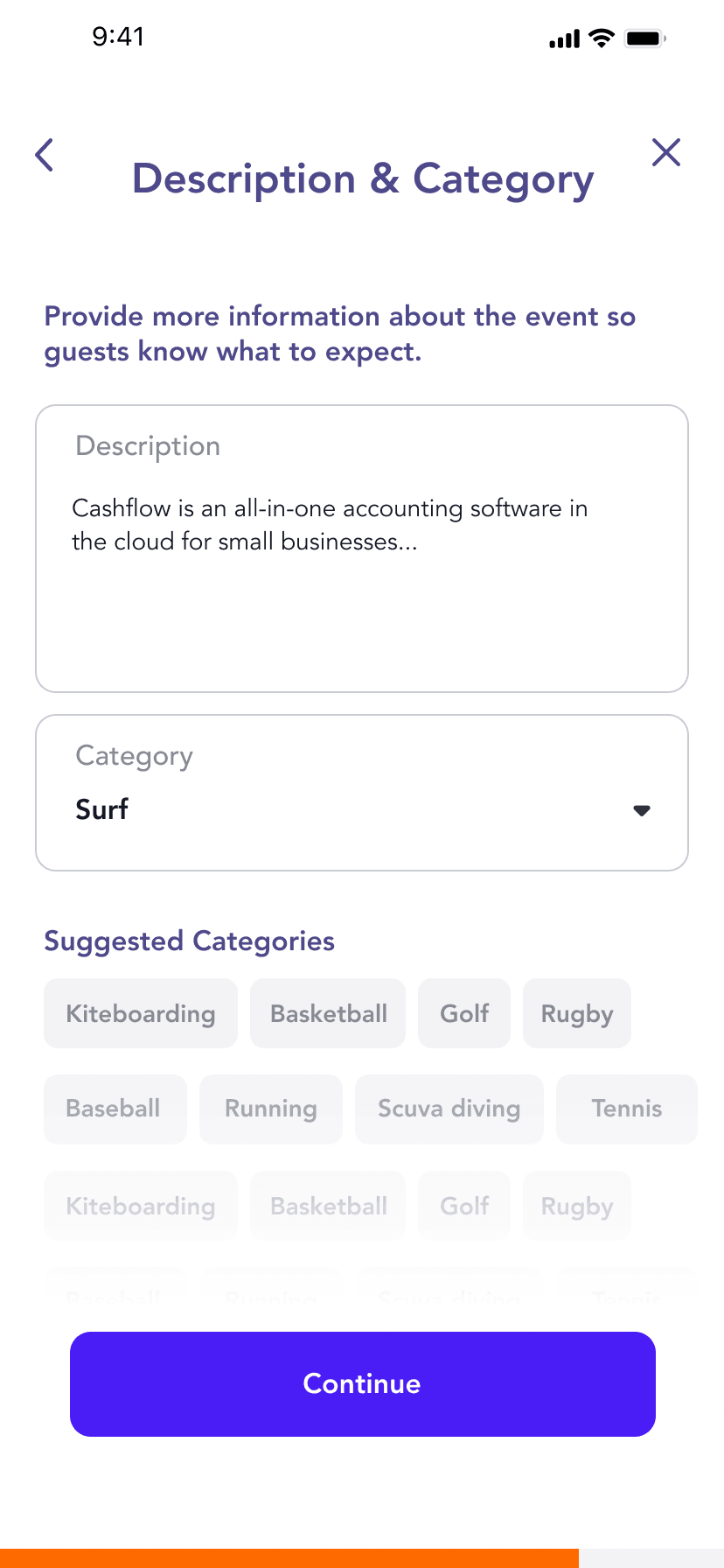
Creating an event is split into short steps: name and date, a location confirmed on the map, then description and category.
6. Profile and chat
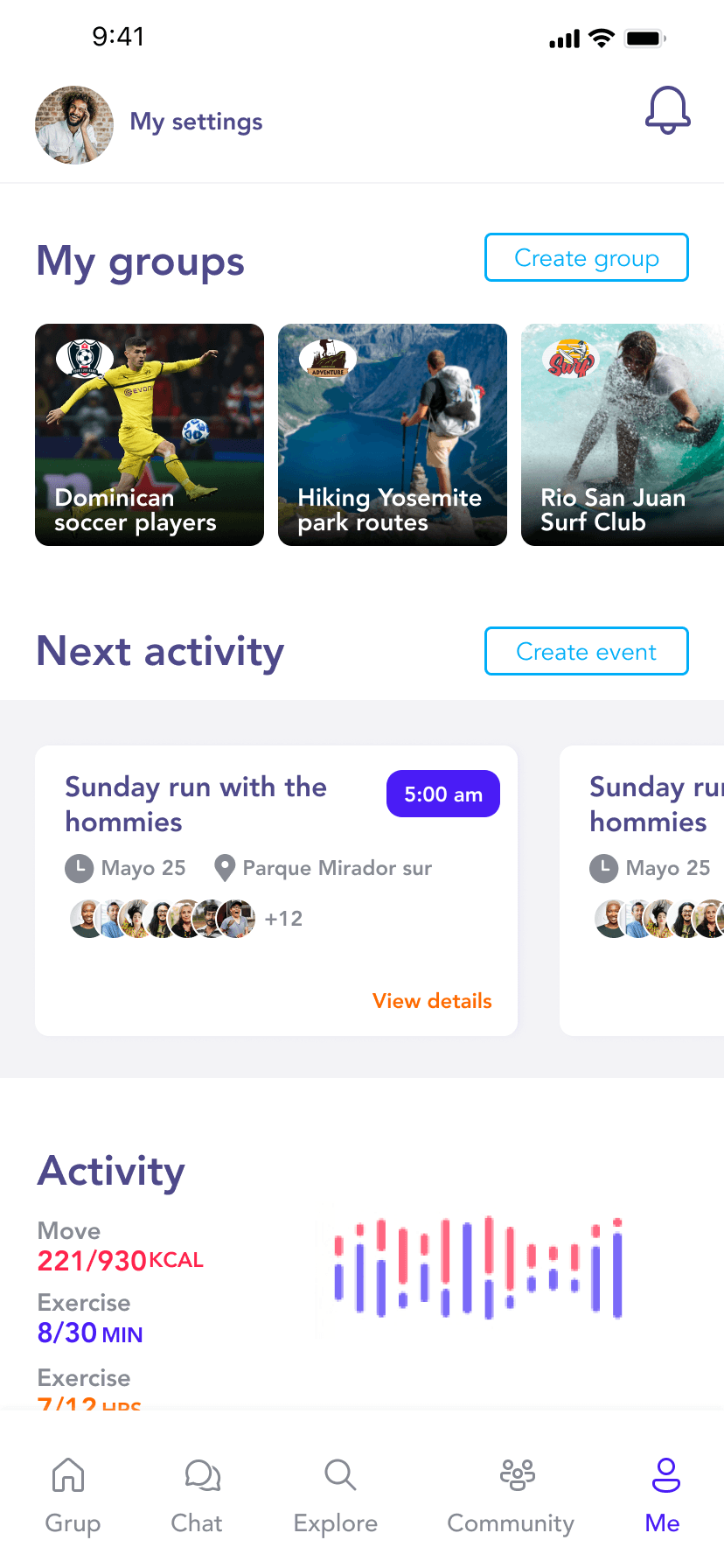
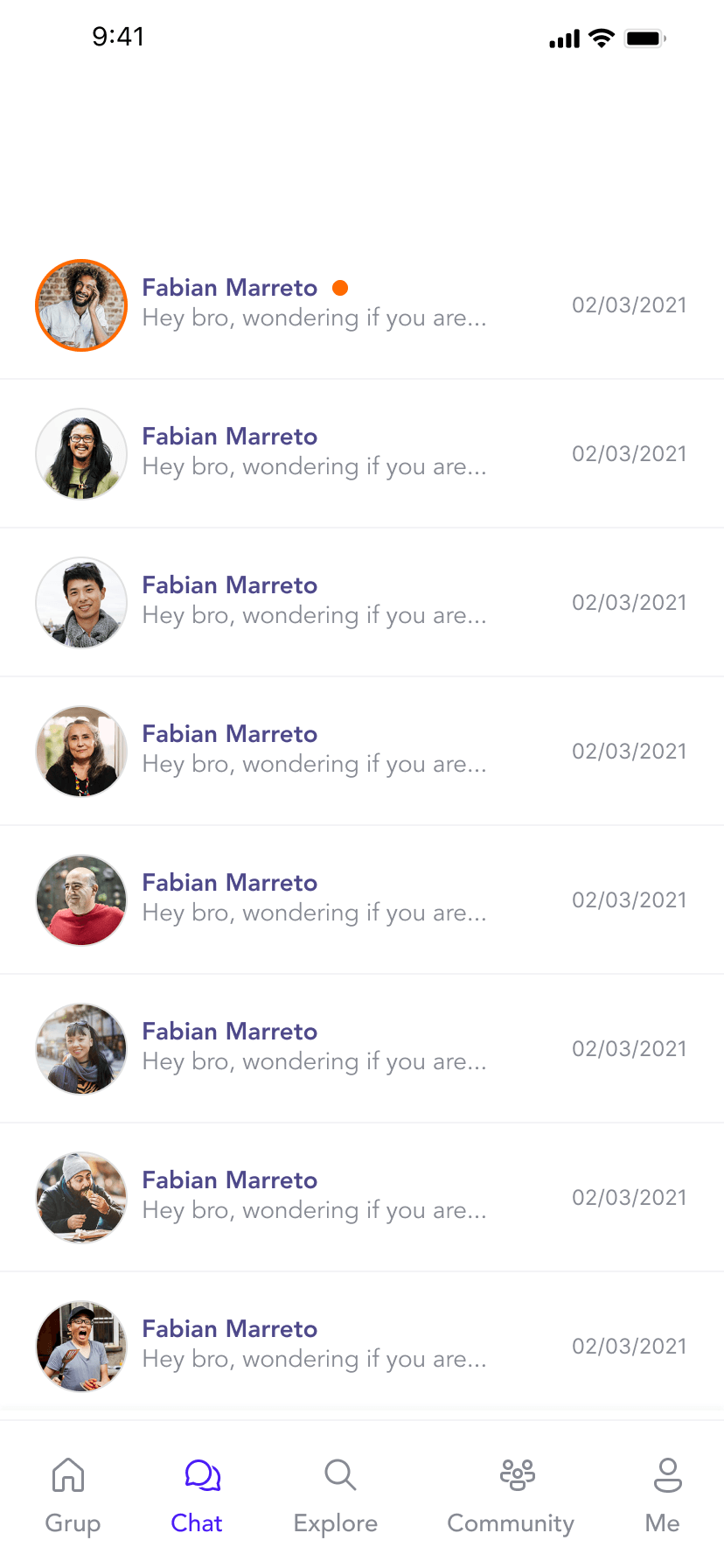
The profile shows your groups, your next activity and an activity summary, with shortcuts to create a group or an event. Chat keeps conversations with partners and groups inside the app.
7. Design system
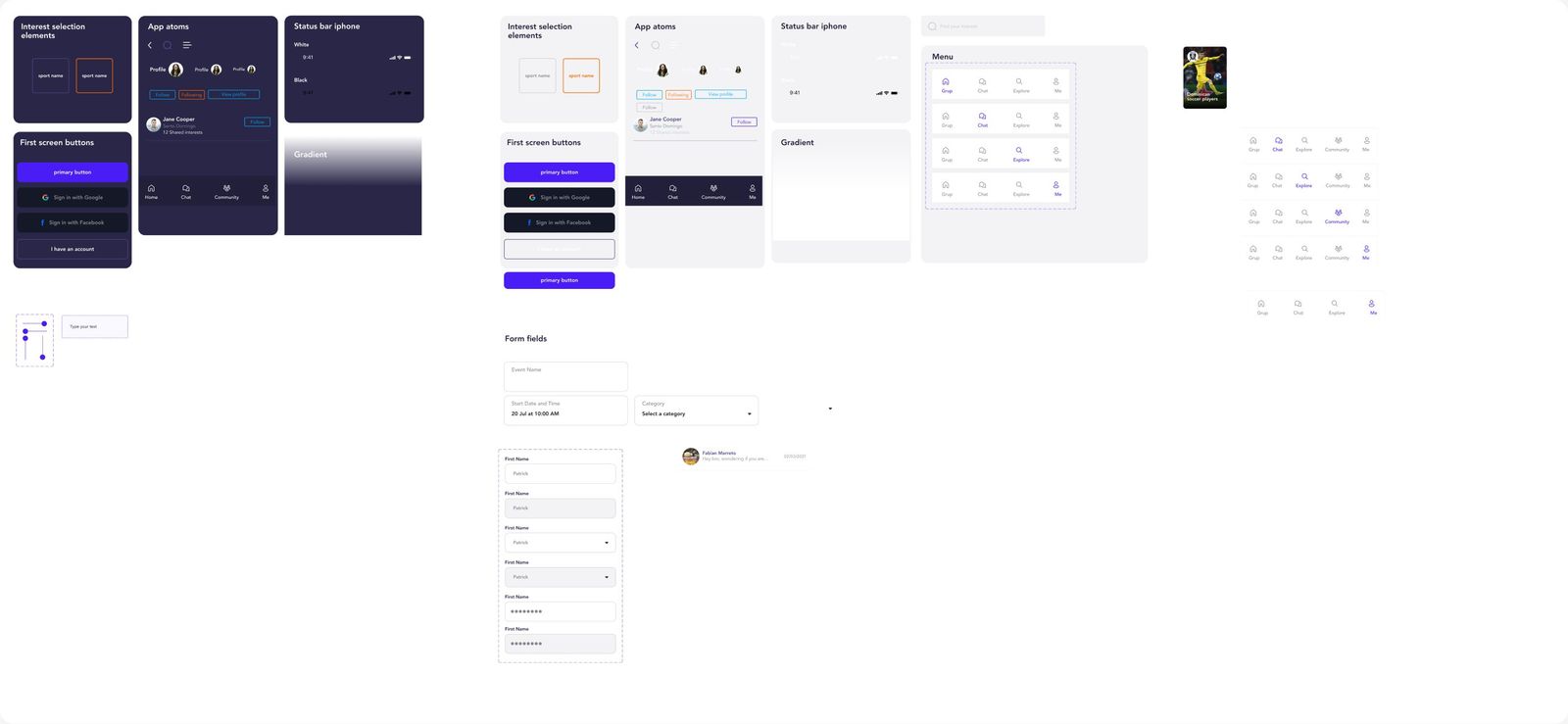
I built the UI on a component library in light and dark mode. The palette uses electric violet #4A1CF6, orange #FF6A00 and sky blue #00AEF8 on dark navy. Components include interest tiles, buttons, social sign-in, profile elements, form fields and the tab bar in all its states.